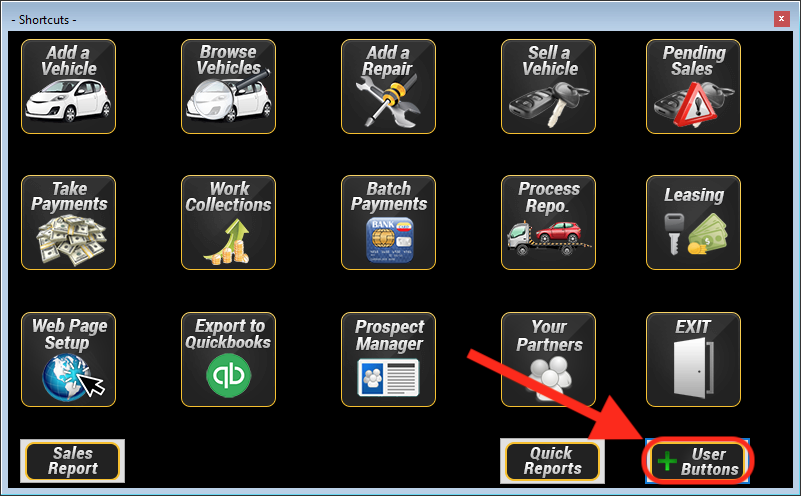
Click “+ User Buttons” on the Wayne Reaves DMS Dashboard:
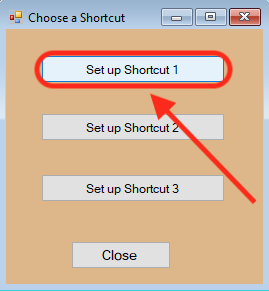
Click on “Set up Shortcut” (select 1, 2, or 3):
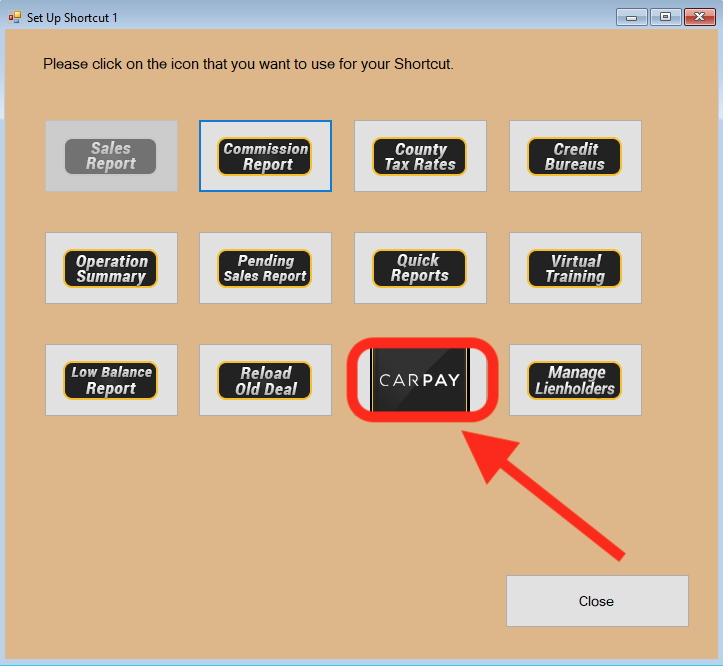
Click the Carpay button to add it to your dashboard:
Click “Carpay”:

Follow the Signup Process:


Click “+ User Buttons” on the Wayne Reaves DMS Dashboard:
Click on “Set up Shortcut” (select 1, 2, or 3):
Click the Carpay button to add it to your dashboard:
Click “Carpay”:
Follow the Signup Process: